
7 SaaS Tools That Replaced My Entire $500/Month Software Stack
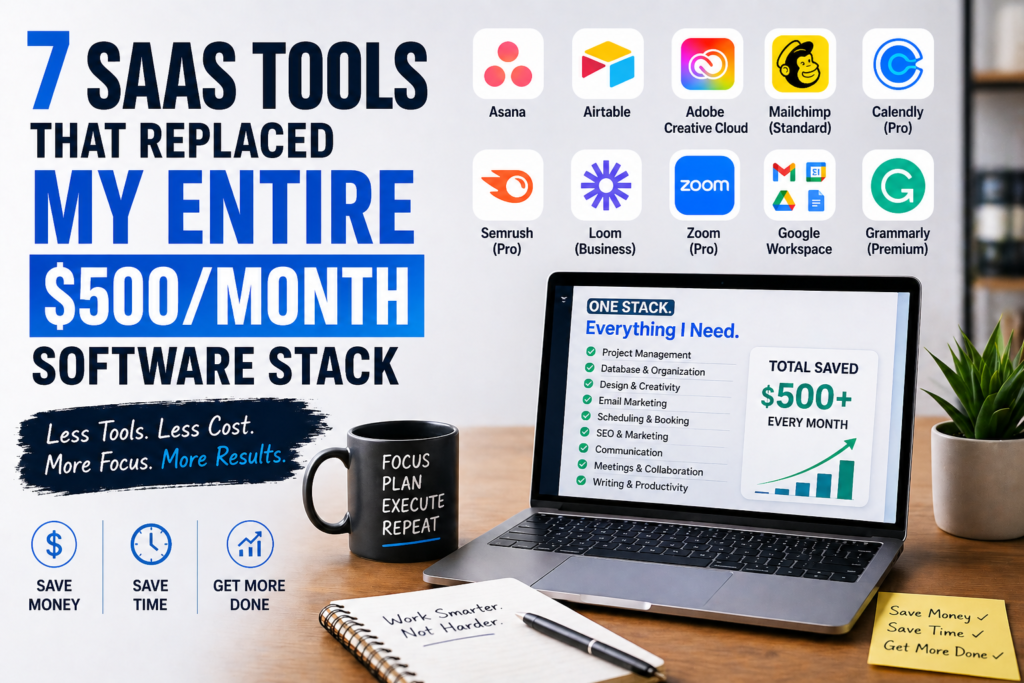
I did not notice it happening all at once. It crept up slowly over about eighteen months.
First came the project management tool — something to track my content calendar and client work. Then the CRM, because I was juggling too many client conversations in my head. Then a dedicated design tool, then an email marketing platform, then a scheduling tool, then a separate analytics dashboard. Each one solved a real problem. Each one came with a recurring monthly charge.
By the time I actually sat down and added it all up, I was paying $510 per month in SaaS subscriptions. Over $6,000 per year. And the embarrassing part? I was using maybe 30% of what I was paying for. Half these tools had features I had never touched. Some I had set up and then more or less abandoned while still paying the invoice.
That was the moment I decided to rebuild from scratch. Not because I wanted to be minimal for the sake of it, but because the overhead of managing seven different tools, seven different logins, and seven different renewal dates was actually slowing me down. I wanted a stack that was lean, integrated, and — honestly — that cost less than my monthly grocery bill.Here is what I ended up with. Seven tools that collectively handle everything the old stack did, at a fraction of the cost, with significantly less complexity.
What the Old Stack Was Actually Costing Me
| Tool (Old Stack) | What It Did | Monthly Cost |
| Asana | Project & task management | $24.99/mo |
| Airtable (Team) | Database & CRM | $20/mo |
| Adobe Creative Cloud | Design & editing | $54.99/mo |
| Mailchimp (Standard) | Email marketing | $30/mo |
| Calendly (Pro) | Scheduling & booking | $16/mo |
| Semrush (Pro) | SEO & keyword research | $139.95/mo |
| Loom (Business) | Screen recording | $12.50/mo |
| Zoom (Pro) | Video calls | $15.99/mo |
| Google Workspace | Email & storage | $12/mo |
| Grammarly (Premium) | Writing & editing | $12/mo |
| TOTAL | $337–510/mo |
Some months it was higher when annual renewals hit. The Semrush subscription alone was nearly $1,700 per year, and I was using it to check keyword volumes maybe twice a week.Here is the rebuilt stack, what it replaced, and why each swap made sense.
1. Notion — Replaced Asana + Airtable + Confluence
Notion is the most significant single change in the entire stack. One tool replaced three.
Before switching, I had Asana for project management, Airtable for database work and a basic client CRM, and a separate wiki-style tool for documentation and processes. Three different platforms, three logins, constant copy-pasting of information between them. When a client project needed both task tracking and a linked database of deliverables, getting those two systems to talk to each other was always more friction than it should have been.
Notion handles all of it in one workspace. The database system is genuinely powerful — relational tables, linked properties, filtered views, calendar and kanban layouts all pulling from the same underlying data. I built a client CRM that links directly to a project tracker, which links directly to a content calendar. When I update a client’s status in one place, everything connected to it updates automatically. That kind of workflow used to require Zapier automations and three separate tools. Now it lives in one database.
The 2026 version of Notion also added Notion Calendar as a native feature, which syncs two-way with Google Calendar. That removed another app from my toolbar. And the AI features — summarizing notes, drafting content briefs, extracting action items from meeting notes — are genuinely useful for day-to-day work rather than just impressive in a demo.
One team that used Notion comprehensively reported it replaced Confluence, Airtable, and Trello, saving over 30 euros per user per month. For a solo operator, the free plan covers most genuine needs. The Plus plan at $10 per month is what I use for the AI features and some advanced database functionality.
What it replaced: Asana ($24.99/mo) + Airtable ($20/mo) = $44.99/mo saved
What I pay now: $10/month (Notion Plus). Net saving: ~$35/month on this swap alone.
Honest limitation: Notion is not a purpose-built project management tool. If you need advanced Gantt charts, workload views, or time tracking for billing, ClickUp or Asana will serve you better. For a solo operator managing fewer than 30 active projects at a time, Notion is more than adequate.
2. Canva Pro — Replaced Adobe Creative Cloud
This is the swap that felt the most uncomfortable when I first made it, and the one I am now most confident about.
Adobe Creative Cloud at $54.99 per month gave me Photoshop, Illustrator, Premiere Pro, and the full suite. I used Photoshop for blog thumbnails, Illustrator occasionally for vector work, and Premiere barely at all. I was paying enterprise-level software pricing for what amounted to resizing images and creating social graphics.
Canva Pro at $13 per month covers everything I was actually doing. The template library has over 250,000 designs including every social media format, presentation template, email header, and document layout you could need. The Brand Kit stores your exact colors, fonts, and logo so every piece of content stays consistent without manual setup. The Magic Resize feature — which instantly adapts any design to every platform’s dimensions with one click — alone saves meaningful time every week.
The AI features added in 2025 and 2026 pushed Canva significantly beyond a simple template tool. Magic Write generates copy for social posts and presentations. Text-to-image creates custom graphics from a description. Magic Eraser removes unwanted background elements from photos. These used to require either Photoshop skills or hiring a freelancer for one-off tasks. Now they are built into the same tool you use to make thumbnails.
I still maintain one Creative Cloud app — Premiere Pro — for occasional video editing that goes beyond what Canva’s video tools can handle. But the core subscription is gone, and the combination of Canva Pro plus occasional freelance help for complex work costs significantly less than the full CC suite.
What it replaced: Adobe Creative Cloud ($54.99/mo)
What I pay now: $13/month (Canva Pro). Net saving: ~$42/month.
Honest limitation: If your work involves print production, complex vector illustration, or professional video editing, Canva is not a full Adobe replacement. For content creators producing digital content — blog graphics, social posts, presentations, simple videos — it covers 90% of real-world needs.
3. MailerLite — Replaced Mailchimp
Mailchimp is a tool I have complicated feelings about. It was genuinely excellent for a long time, and then the pricing restructure in 2022-2023 made it one of the most expensive email platforms relative to what it delivers for small lists. By the time I was paying $30 per month for a 3,000-subscriber list, I had started looking at what else was available.
MailerLite is what I switched to, and eighteen months later I have not had a single moment of regret. The free plan supports up to 1,000 subscribers with 12,000 emails per month — genuinely usable for a creator just starting out. The Growing Business plan that I am on now costs $13.50 per month for up to 2,500 subscribers with unlimited emails, landing pages, pop-ups, and automation sequences.
The automation builder is the feature that convinced me to stay. MailerLite’s visual automation workflow is clean, intuitive, and powerful enough to build proper welcome sequences, launch sequences, and segmented campaigns without needing a marketing degree to operate. It also includes a native landing page builder with decent templates — which removed one more tool I was occasionally using for quick lead magnet pages.
The deliverability rates are competitive with Mailchimp — some independent tests put MailerLite slightly ahead for smaller sender reputations, which matters if you are not sending at enterprise volume. The support is responsive and the documentation is excellent. For a content creator running a newsletter and occasional product launches, it does everything Mailchimp did at roughly half the cost.
What it replaced: Mailchimp Standard ($30/mo)
What I pay now: $13.50/month (MailerLite Growing Business). Net saving: ~$16.50/month.
Honest limitation: MailerLite’s advanced segmentation and e-commerce integrations are less mature than Mailchimp’s. If you have a complex online store with purchase-behavior based automation, Mailchimp or Klaviyo may serve you better. For newsletters, lead magnets, and launch sequences, MailerLite is excellent.
4. Cal.com — Replaced Calendly Pro
Calendly is a well-designed tool that became progressively more expensive as it matured. The free plan is genuinely limited — one event type, no integrations, no team features. The Pro plan at $16 per month was what most solo professionals actually needed, and it worked fine, but it was $16 per month for essentially a scheduling link.
Cal.com is the open-source alternative that most people in the creator and indie hacker community have now quietly moved to. The hosted version offers a free plan with unlimited event types, booking pages, calendar integrations, and basic automation that covers everything most people actually use Calendly for. The paid plan at $12 per month adds team features, round-robin scheduling, and Salesforce integration if you need them.
The user experience is clean and professional. Clients booking through Cal.com get the same polished experience as Calendly — a clean calendar view, confirmation emails, reminder notifications, and seamless calendar blocking on both sides. Stripe integration for paid bookings is built in at no extra tier.
For a content creator taking discovery calls, coaching sessions, or client meetings, Cal.com on the free plan handles everything. The difference is $16 per month saved with essentially no functional trade-off for solo use cases.
What it replaced: Calendly Pro ($16/mo)
What I pay now: $0/month (Cal.com free plan). Net saving: $16/month.
Honest limitation: Cal.com is less polished than Calendly in a few edge cases — specifically around complex enterprise routing and some advanced team scheduling workflows. For individual creators and solopreneurs, the free plan is genuinely complete.
5. Google Meet (Free) — Replaced Zoom Pro
This is the most straightforward swap on the list. Zoom Pro at $15.99 per month removes the 40-minute limit on group meetings and adds cloud recording. Both of those features are available in Google Meet on a free account — 60-minute meetings with up to 100 participants, and meeting recordings directly to Google Drive if you are on Google Workspace.
Since most creators and freelancers are already paying for Google Workspace for their professional email and Drive storage, Google Meet comes effectively bundled. The video quality, screen sharing, and reliability are comparable to Zoom for standard calls. The background blur, noise cancellation, and auto-captions work well. For client calls, podcast interviews, and team check-ins, it covers every use case I was using Zoom for.
The only scenario where Zoom has a genuine advantage is webinars and larger broadcast-style events. Zoom Webinars (a separate, more expensive product) has features for Q&A management, registration pages, and attendee controls that Google Meet doesn’t match. For a solo creator not running webinars, that distinction is irrelevant.
What it replaced: Zoom Pro ($15.99/mo)
What I pay now: $0 additional (bundled with Google Workspace). Net saving: ~$16/month.
Honest limitation: Google Meet is browser-first, which occasionally causes issues on older hardware. Zoom’s desktop app performs better in bandwidth-constrained environments. If you run regular webinars with more than 100 attendees, Zoom’s dedicated webinar product is worth the cost.
6. Ubersuggest + Ahrefs Free Tools — Replaced Semrush Pro
Semrush Pro at $139.95 per month is a serious professional SEO tool. It is also serious overkill for a content creator or blogger who checks keyword volumes, researches competitors occasionally, and tracks rankings for their own site.
The combination I switched to costs significantly less and covers the actual use cases I had, rather than the theoretical advanced features I never touched. Ubersuggest, built by Neil Patel, offers a lifetime plan for $290 — a single one-time payment that covers unlimited keyword research, site audits, and competitive analysis for up to three domains. Over two years that works out to $12 per month equivalent. For ongoing use, the monthly plan starts at $12 per month.
Ahrefs complements this with its free tools suite, which includes a keyword generator, SERP checker, backlink checker, and website traffic estimator — all usable without a paid subscription, though with daily usage limits. For a blogger producing four to six articles per month, those free tools handle the research phases adequately.
Honest disclosure: if you are running a content site with twenty or more articles in active production simultaneously, managing a large backlink outreach campaign, or providing SEO services to clients, Semrush’s depth is worth the cost. For a solo creator maintaining their own site and researching topics for their own content, the combination of Ubersuggest and Ahrefs free tools covers the genuine workflow at a fraction of the price.
What it replaced: Semrush Pro ($139.95/mo)
What I pay now: $12/month (Ubersuggest) + $0 (Ahrefs free tools). Net saving: ~$128/month.
Honest limitation: Data accuracy and database size are meaningfully smaller than Semrush. For professional SEO work or client reporting, Semrush or Ahrefs paid is worth the investment. For individual content creators managing their own site, Ubersuggest is sufficient.
7. Make (formerly Integromat) — The Glue That Holds Everything Together
This last tool is different from the others on the list. It did not replace one specific subscription — it replaced the need for several micro-tools by automating the connections between everything else in the stack.
Make is a visual automation platform that connects your apps and creates automated workflows without writing code. It competes with Zapier, but at a significantly lower price point. The free plan includes 1,000 operations per month — enough to handle most simple automations. The Core plan at $9 per month covers 10,000 operations monthly, which handles a genuinely busy solo creator’s automation needs.
In practical terms, Make handles things like: automatically adding new email subscribers to a Notion database, creating a new Notion project page every time a client inquiry form is submitted, sending a Slack notification when a specific trigger happens in any connected app, and syncing data between MailerLite and Cal.com without manual copy-paste. Each of these used to require either a dedicated integration tool charging $30 or more per month, or manual daily work.
The visual workflow builder is more powerful than Zapier’s equivalent tier and meaningfully cheaper. Zapier’s equivalent plan for 10,000 tasks runs at $49.99 per month. Make delivers the same automation capability for $9 per month. For a solo creator who needs half a dozen automations running reliably, that price difference adds up to nearly $500 per year.
What it replaced: Zapier Starter ($19.99/mo) + several micro-integration tools (~$20/mo)
What I pay now: $9/month (Make Core). Net saving: ~$31/month.
Honest limitation: Make has a steeper learning curve than Zapier. The scenario builder is more powerful but requires more time to configure correctly. If you need automations running in minutes with minimal setup time, Zapier’s drag-and-drop simplicity is worth the premium.
The New Stack: What It Actually Costs
| New Tool | What It Replaced | Monthly Cost |
| Notion Plus | Asana + Airtable | $10/mo |
| Canva Pro | Adobe Creative Cloud | $13/mo |
| MailerLite | Mailchimp | $13.50/mo |
| Cal.com (Free) | Calendly Pro | $0/mo |
| Google Meet (Free) | Zoom Pro | $0/mo |
| Ubersuggest | Semrush Pro | $12/mo |
| Make Core | Zapier + micro tools | $9/mo |
| Google Workspace | (Kept as-is) | $12/mo |
| Grammarly Pro | (Kept as-is) | $12/mo |
| NEW TOTAL | $81.50/mo |
From $510 down to $81.50. That is a saving of $428.50 per month, or just over $5,100 per year. That money now goes toward paid promotion, occasional freelance support, and in one case, an actual proper vacation.
What This Process Taught Me About Building a Tool Stack
The most valuable insight from rebuilding from scratch was not about any specific tool. It was about why the old stack had gotten so expensive in the first place.
Every tool I added over eighteen months felt justified at the time. I was solving a real problem with each one. But I never went back and asked whether the previous tools could be extended to cover the new need, or whether the new tool made an old one redundant. The stack grew by addition and never by subtraction.
The second thing I learned is that most SaaS tools price their plans around a theoretical power user, not the actual median customer. Semrush Pro has features I will never use and likely never needed. Mailchimp’s higher tiers include e-commerce automation I had no use for. I was paying for the plan that sounded sufficient, not the plan that matched my actual usage.
The practical suggestion: every three months, open your bank statement, list every SaaS subscription, and ask two questions for each one. First, what specific problem does this solve? Second, does another tool I already pay for solve that same problem adequately? If the answer to the second question is yes or maybe, that subscription is a candidate for removal.
Start with the largest line items first. That is almost always where the biggest savings are hiding.
Affiliate Disclosure: Some links in this post are affiliate links. If you sign up through one of our links, we may earn a small commission at no extra cost to you. All tools in this article are ones I genuinely use or have thoroughly researched — none were included due to sponsorship arrangements.