
Notion vs Obsidian: Which Note-Taking App Is Better for Solopreneurs in 2025?
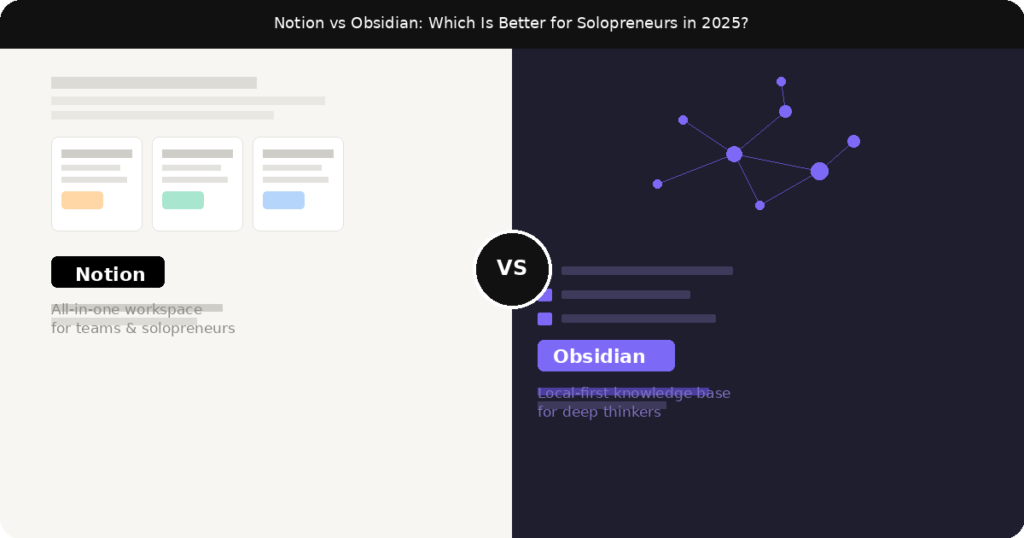
Let me be straight with you — when I first started trying to get my work life organised, I went through at least five different apps before landing on the two that actually stuck. Notion and Obsidian kept coming up everywhere I looked. YouTube tutorials, Reddit threads, productivity newsletters — these two names were impossible to avoid.
So I used both. Not just for a day or two — but for weeks, running real projects, taking real notes, building actual workflows. And I want to share what I found honestly, without all the typical “both are great, it depends on your needs” fluff that doesn’t actually help you decide anything.If you’re a solopreneur — meaning you’re managing your own business, your own clients, your own projects, and your own brain — this comparison is written specifically for you.
First, What Actually Are These Tools?
Notion is an all-in-one workspace. Think of it as a whiteboard, a database, a to-do list, and a wiki rolled into one. You can build client dashboards, track your projects, create content calendars, write docs, manage CRMs — all inside a single tool. It’s visual, it’s flexible, and it syncs beautifully across every device.
Obsidian is something different entirely. It’s a local-first note-taking app built around the idea that your notes should link to each other — like a web of interconnected thoughts. It stores everything as plain Markdown files directly on your computer, with no cloud dependency unless you set one up yourself. Obsidian users often call it a “second brain” tool, and that’s a reasonably accurate description.
Both are genuinely powerful. But they’re built for different kinds of people with different work styles.
The Core Difference (And Why It Matters for Solopreneurs)
Here’s the simplest way I can explain it: Notion is a workspace, Obsidian is a thinking tool.
If you spend most of your time managing tasks, tracking clients, and organizing information that needs to be structured — Notion feels like home. If you spend most of your time writing, researching, thinking through ideas, and connecting concepts — Obsidian will suit you better.
For solopreneurs, this often comes down to one question: are you more of a “project manager” type or a “deep thinker” type? Most of us are both — which is exactly why this choice is actually hard.
Notion: What It Does Really Well
1. It replaces multiple tools at once
This is Notion’s biggest strength for solo business owners. Instead of having Trello for tasks, Google Docs for writing, Airtable for databases, and Evernote for notes — Notion handles all of it. I’ve seen freelancers run their entire client operations from a single Notion workspace: proposals, contracts, project tracking, invoice logs, client communications. All in one place.
2. Databases are genuinely game-changing
Notion’s database feature is unlike anything else in its price range. You can create a database of blog posts, then filter by status (drafted, published, scheduled), sort by date, and switch between a list view, a kanban board, or a calendar — all from the same data. For content creators and service providers, this alone is worth the switch.
3. Collaboration is seamless
Even as a solopreneur, you probably work with clients, contractors, or a VA at some point. Notion makes sharing incredibly easy. You can share a specific page with a client for feedback, grant edit access to a contractor, or publish a page publicly as a website. Obsidian has no real equivalent for this.
4. Templates speed everything up
Notion’s template library is massive — both from Notion themselves and the community. You can pull in a complete client onboarding system, a content calendar, a CRM, or a habit tracker in minutes. This is incredibly helpful when you’re starting out and don’t want to build everything from scratch.
Notion’s Weaknesses (Be Honest About These)
Notion can get slow — especially on mobile or when your workspace grows large. The app sometimes takes 3-5 seconds to load, which sounds minor until you’re opening it 30 times a day to capture a quick thought.
It’s also cloud-dependent. No internet means no access — at least not reliably. If you’re frequently working offline (on flights, in remote areas), this is a real frustration.
And for pure writing? It’s decent but not exceptional. The editor is functional, but it doesn’t get out of your way the way a dedicated writing tool does. There’s always something on the sidebar tempting you to reorganize your workspace instead of finishing that article.
Obsidian: What It Does Really Well
1. Your notes actually connect to each other
This is Obsidian’s defining feature. You can link any note to any other note using double brackets — [[like this]] — and Obsidian builds a visual graph of how all your ideas connect. Over time, this becomes a genuinely powerful thinking environment. You start to see patterns and relationships in your knowledge that you’d never notice in a linear notes app.
2. It’s fast. Really fast.
Because Obsidian works with local files, it opens instantly. There’s no loading screen, no waiting for data to sync from a server. On a decent laptop, it’s almost instant. If you take a lot of quick notes throughout the day, this speed difference becomes very noticeable very quickly.
3. Privacy and ownership
Your notes live on your computer as plain text files. Not on someone else’s server. Not dependent on a company staying in business. You can open them in any text editor, back them up anywhere, and they’ll be readable a decade from now. For anyone who stores sensitive business information or client notes, this is a meaningful advantage.
4. The plugin ecosystem is extraordinary
Obsidian has hundreds of community plugins that extend what it can do. There are plugins for daily journaling, task management, spaced repetition, PDF annotation, calendar views, and even Kanban boards. If you’re technical enough to set them up, you can make Obsidian do almost anything.
Obsidian’s Weaknesses
The learning curve is steep. Out of the box, Obsidian can feel bare and confusing. There’s no hand-holding, no starter template that works for everyone. You have to invest real time learning how to set it up before it becomes genuinely useful. Some people love this customization — many people find it exhausting.
Syncing across devices costs money. Obsidian Sync (their official service) is $10/month or $96/year. You can get around this with iCloud, Dropbox, or Git, but those setups require some technical knowledge. For Notion users, cloud sync is just… automatic.
Collaboration is also a weak point. Sharing an Obsidian vault with someone else is clunky at best. There’s no real-time multiplayer editing, no easy guest access, no published pages. If you need to share work with clients regularly, Obsidian will frustrate you.
Head-to-Head: Notion vs Obsidian for Key Solopreneur Tasks
Client & Project Management: Notion wins clearly. Its databases, shared pages, and templates are built for this.
Writing & Long-form Content: Obsidian edges ahead for distraction-free writing and research, but Notion is close enough for most people.
Capturing Quick Ideas: Obsidian wins on speed. It opens faster and gets out of your way.
Building a Knowledge Base Over Time: Obsidian’s linked notes and graph view make it far superior for this.
Ease of Getting Started: Notion wins by a large margin. You can be productive within an hour.
Privacy & Data Ownership: Obsidian wins completely.
Price (Free tier): Both have free plans. Notion’s free plan is generous for individuals. Obsidian is free for personal use, with paid options for commercial use and sync.
So Which One Should You Actually Use?
Here’s my honest take after using both extensively:
Choose Notion if: you’re running a service business, managing multiple client projects, need to collaborate or share work externally, and want one tool that handles your entire workflow. If you’re a freelancer, consultant, or agency-of-one, Notion will likely save you more time than Obsidian.
Choose Obsidian if: you do a lot of research, writing, and thinking. If you’re a content creator, blogger, author, or consultant who needs to synthesize lots of information into unique ideas — Obsidian will become genuinely indispensable over time. It rewards patience.
And honestly? Many solopreneurs end up using both — Notion for the operational side of the business, Obsidian for personal knowledge and writing. That’s not a cop-out answer, that’s genuinely what a lot of people land on after experimenting for a while.
Final Thoughts
There is no objectively better tool here — there’s only the right tool for how your brain works and what your business actually needs day to day.
If you’re brand new to both, I’d suggest starting with Notion. The onboarding is smoother, the free plan is excellent, and you’ll see results faster. Once you’re comfortable with the concept of personal knowledge management, you can explore Obsidian and decide if it fills a gap.Either way — the best note-taking app is the one you’ll actually use consistently. Pick one, commit to it for 30 days, and build the habit before switching.